Physical Address
304 North Cardinal St.
Dorchester Center, MA 02124
Physical Address
304 North Cardinal St.
Dorchester Center, MA 02124
In this digital age, streaming services like Netflix have become an integral part of our daily lives. Discord, a popular communication platform, has added a feature that allows users to share their screens with others, making it an ideal platform to watch and discuss your favorite Netflix shows and movies with friends and family. In this article, we will guide you through the process of streaming Netflix on Discord and provide you with all the necessary steps and tips to enhance your viewing experience.
Before we delve into the specifics, it’s important to ensure that you have the following requirements in place:
To stream Netflix on Discord, you’ll need:

The first step in this process is to launch the Discord application on your device. If you don’t have it installed already, you can download it from the official Discord website or your device’s app store.
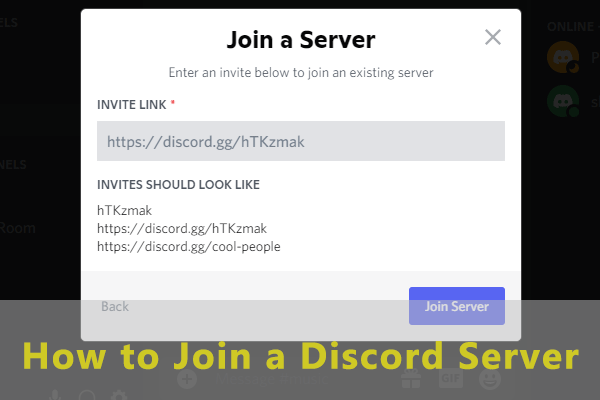
After opening Discord, log in to your account and join a server where you plan to stream Netflix. If you don’t have a server to join, you can create one.
Now that you’re in a server, initiate a voice or video call with your friends or family members. You can do this by clicking on the user’s name in the server or using the direct message feature.
Once the call has started, look for the screen-sharing icon in the bottom menu. Click on it and select the application window you want to share, which should be your Netflix window.
Your Netflix screen is now being shared with the other participants. Start playing the content you want to watch, and it will be visible to everyone in the call.
To make your Netflix streaming on Discord more enjoyable, consider the following tips:
If you encounter problems during your Netflix streaming on Discord, here are some common issues and their solutions:
A1: Streaming Netflix on Discord is legal as long as all participants have valid Netflix subscriptions and you’re not violating any copyright laws.
A2: Yes, you can stream Netflix on Discord using the mobile app, just like on a computer.
A3: Using headphones or muting your microphone can help prevent audio feedback.
A4: Yes, you can use Discord’s screen sharing feature for various streaming platforms like YouTube, Hulu, and more.
A5: Discord allows up to 25 participants in a screen sharing session, but keep in mind that performance may vary with a larger group.
Streaming Netflix on Discord can be a fun and interactive way to enjoy your favorite content with friends and family, no matter where they are. By following the steps and tips outlined in this article, you can enhance your streaming experience and create lasting memories.